How to read a tenant's prepaid balance and statement, look up its buyer and invoices, and refund part or all of an invoice with a correction.
For site operators with manage tenants, which opens the tenant page. Opening an invoice and correcting it also need manage site billing.
How tenants pay
Tenants pay in advance. They transfer money to one of the site's bank accounts with a payment title that names their tenant; when you import the bank statement, the payment is added to the tenant's prepaid balance. Licenses are then paid from that balance, by automatic renewal or by an operator's sale, and each payment issues an invoice. A tenant can hold a balance in more than one currency.
The Balance tab
On the tenant page, choose the Balance tab.
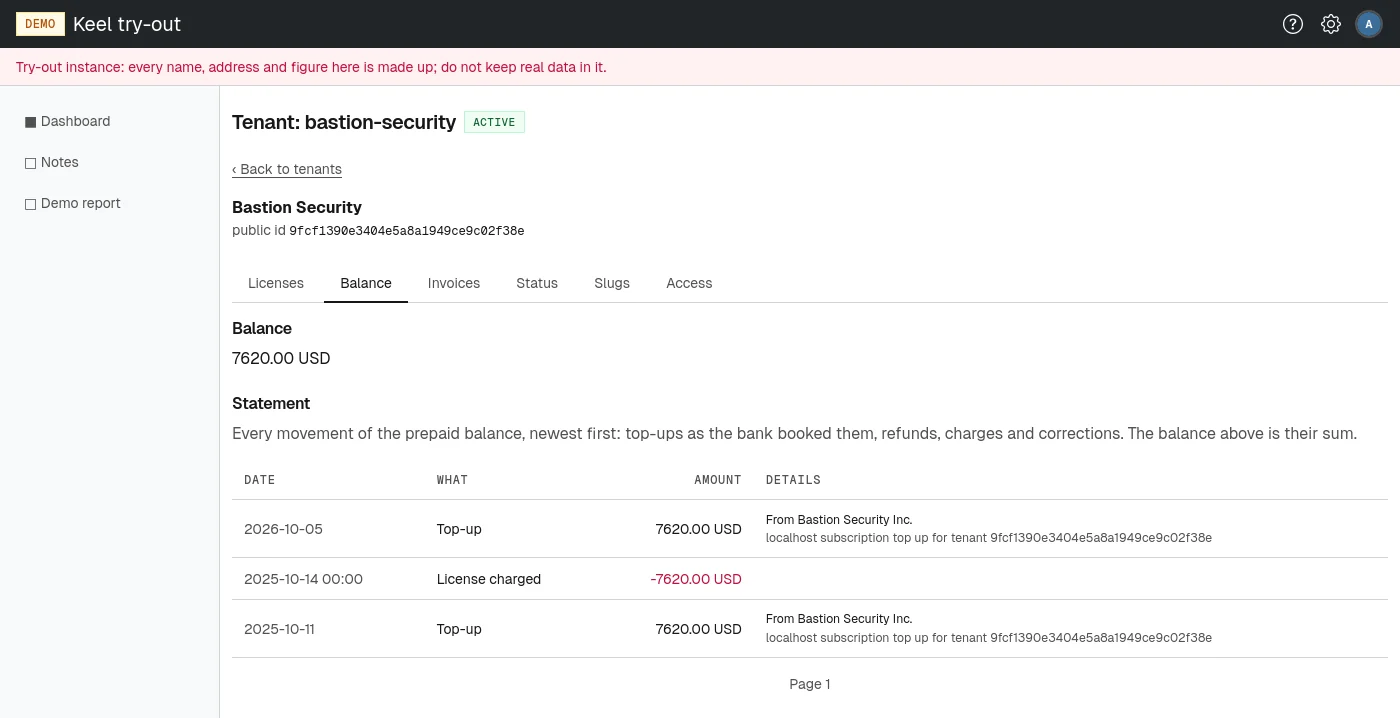
- Balance lists the prepaid funds in each currency. A negative amount is shown in red. "No prepaid funds: no allocated top-up yet." means no payment has been matched to the tenant so far.
- Statement lists every movement of the balance, newest first, with Date, What, Amount and Details. The balance above is their sum.
The kinds of movement you can see under What:
- Top-up
- A payment received from the customer, dated with the bank's booking day. The details show who paid and the payment title.
- Refund
- Money the site paid back to the customer from the bank account, matched to the tenant in the same way as a top-up.
- License charged
- The gross price of a license taken from the balance.
- Charge reversed
- Money returned to the balance by an invoice correction.
- Top-up reversed, Balance written off, Write-off reversed
- Other corrections of the balance, with their annotation in the details.
Page through a long statement with Newer and Older.
The Invoices tab
Buyer
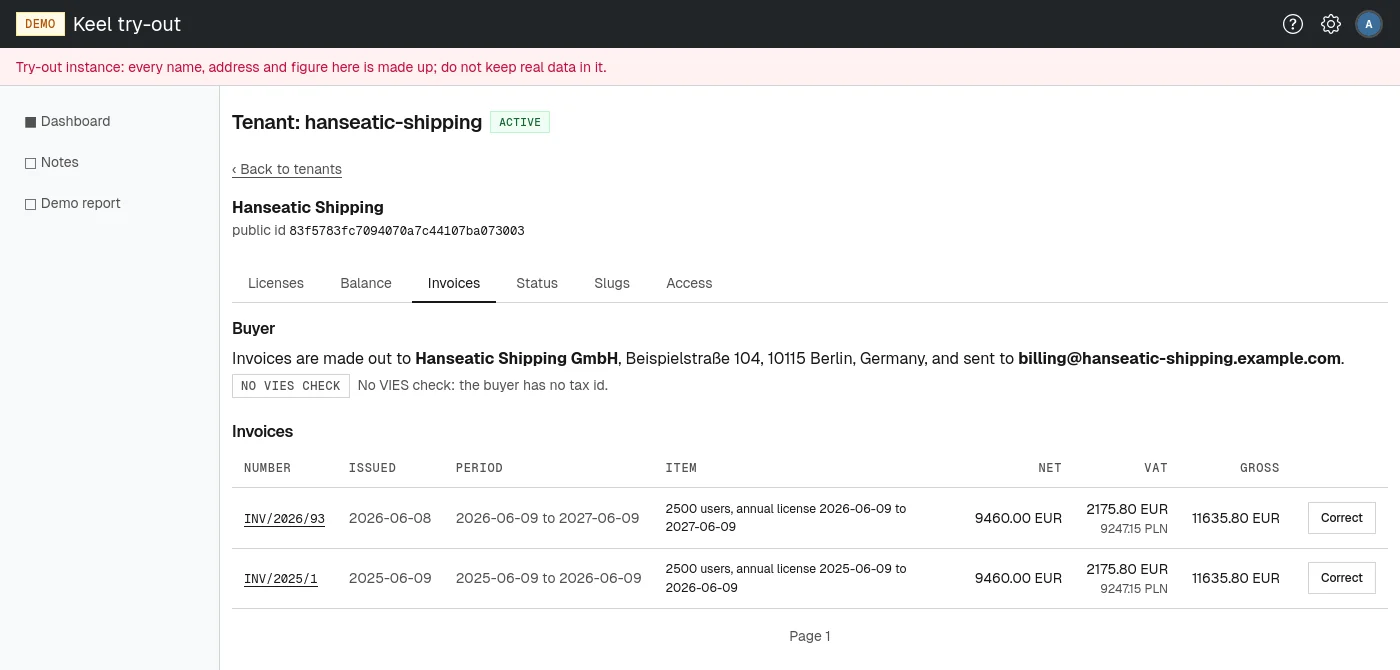
The top of the Invoices tab says who invoices are made out to: the buyer's legal name, tax id and address, and the email address invoices are sent to. The tenant's own administrators keep these billing details; see Billing in the administrator part. Without a buyer on record, no invoice can be issued, so no renewal or sale can go through.
For a buyer with an EU VAT number, a badge shows what VIES last said about it, with a sentence on what that means for invoicing, and Registered as repeats the name and address the register holds. See VAT number checks.
Invoices
Every invoice issued to the tenant, newest first, twelve to a page: Number, Issued, Period, Item, Net, VAT and Gross. Where VAT was charged in a currency other than the seller's, the VAT column also shows it restated. A correction is marked "correction" and names the invoice it corrects and why. An invoice already refunded in part shows how much; one refunded fully shows "refunded in full".
Choose an invoice number to open the invoice. It shows the seller and buyer, the issue, payment and service dates, the item with its net, VAT and gross amounts, the VAT rule it was issued under, and any corrections. Choose Print to print it or save it as a PDF from the browser.
Correcting an invoice
A correction refunds part or all of an invoice's net amount to the tenant's prepaid balance and issues a correction invoice that cites the original. The VAT refunded is in proportion to the net, taken from the original invoice. An invoice can be corrected several times until its whole net amount has been refunded.
- On the Invoices tab, choose Correct beside the invoice, or Correct this invoice on the invoice page. The page Correct invoice <number> opens. It shows the invoice's amounts, how much has been refunded so far and how much is left, and the state of its license.
- In Refund, net, type the net amount to refund in major units, such as
120or120.50, or leave it empty to refund everything that is left. The help text shows what the unused days of the period come to from today, as a guide. - Type the Reason, printed on the correction for the buyer.
- Type the Annotation, for the books: your reasoning, kept with the accounting entry and never printed.
- Choose Issue the correction, or Keep the charge, back to the tenant to leave without refunding.
The correction invoice is numbered in the site's correction series and the message Invoice <number> issued: says how much was returned to the balance. The refund shows on the tenant's statement as "Charge reversed". The billing contacts (the tenant's billing address and the site's billing emails) get the email Invoice <number> was corrected with the amount, the reason and the correction document.
Correcting an invoice does not revoke its license. To end the license as well, revoke it: if it was sold, the correction form then opens for you.