How to find out who changed what in your organization, and when.
For anyone who holds at least one administrative permission, from Keel Platform or from your application. No separate permission is needed.
What the audit log records
Keel Platform writes an entry for every change to your organization and every important sign-in event, as it happens. Entries cannot be edited or deleted. Among them:
- members: added, changed, deactivated, reactivated, erased, linked to the identity provider;
- signing in: sessions started, password links sent, passwords set, authenticator codes enrolled and removed, browsers chosen to stay signed in, renewed and forgotten;
- roles, permissions and groups: created, changed, archived; roles granted and revoked; members added to and removed from groups;
- settings: each value set or cleared, with what it was set to (secrets are shown only as set, never in the clear);
- encryption keys rotated;
- events your application records, such as its own records being written.
Licenses, charges and invoices are recorded on the billing page itself (see Billing and licenses), not here.
Reading the log
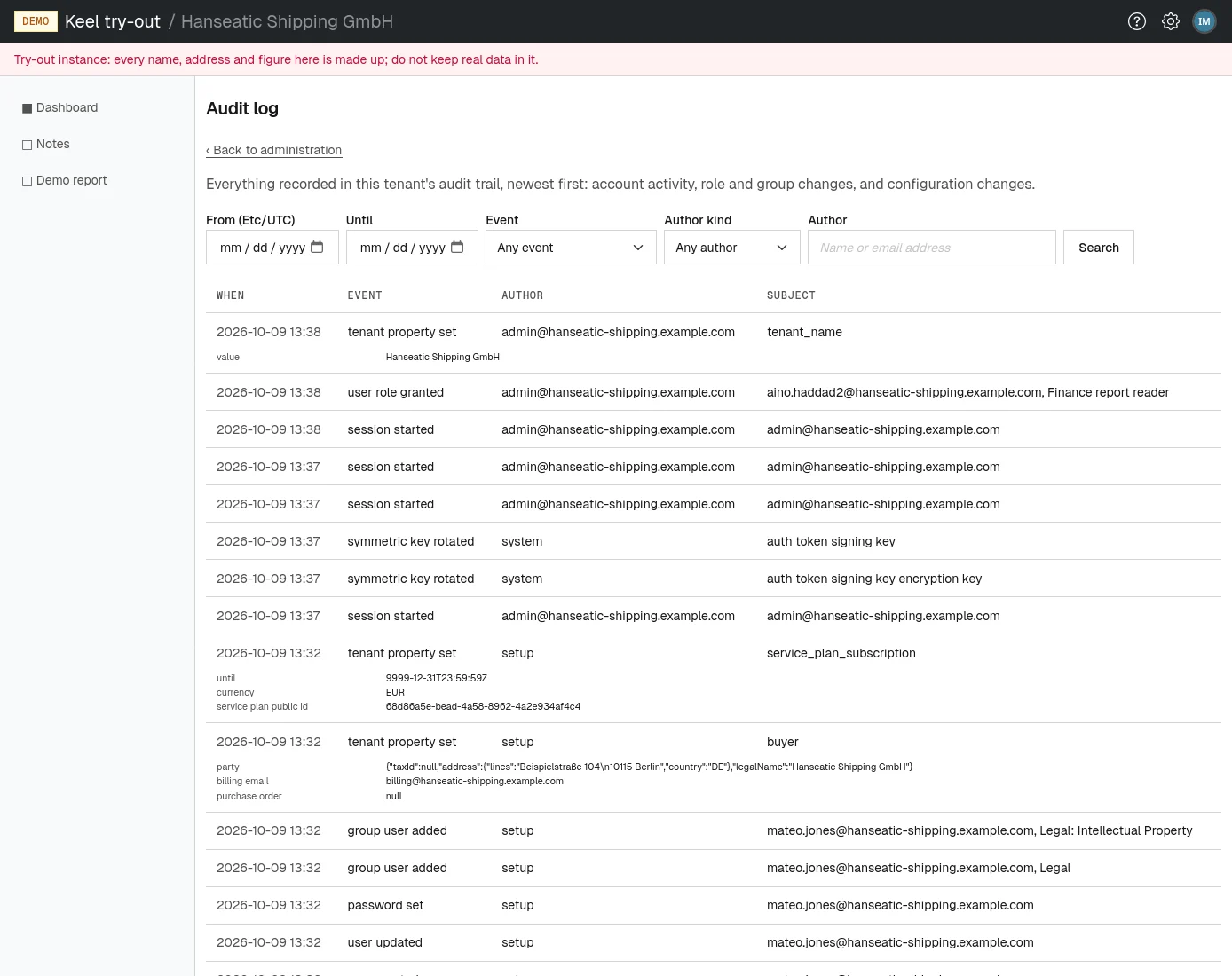
Open Audit from the administration page or the settings menu. The page, titled Audit log, is at /tenants/<your tenant>/admin/audit. It lists entries newest first, 50 to a page, with Newer and Older links under the list. Each entry has:
- When
- The date and time, in your time zone.
- Event
- What happened, such as user role granted or tenant property set.
- Author
- Who did it: a member's email address, or one of the kinds below when no member did.
- Subject
- What it concerned, such as the member, role, group or setting.
Many entries have a second, smaller line with details, such as the values a setting was set to.
| Author kind | Meaning |
|---|---|
| user | A member of your organization, named by their address while it is still known. |
| identity provider | A change your identity provider caused at a member's sign-in, such as a managed role granted. |
| site operator | An operator of your Keel Platform site. |
| system | Keel Platform itself, for example the hourly retention run erasing a member. |
| setup | The creation of your organization, or an operator granting the setup role. |
Searching
- Optionally, set From and Until: the first and last day to look at, both included, in the time zone shown in the label.
- Optionally, pick an Event. The list offers only events your organization's log can hold; Any event means all.
- Optionally, pick an Author kind, or leave Any author.
- Optionally, type part of a name or email address into Author.
- Choose Search. The list reloads at its first page with the matching entries, and the pages keep the search. Choose Clear to go back to everything.
If the search cannot be understood, for example when the period ends before it starts, a message explains it above the newest entries. When nothing matches, the page says "Nothing recorded matches the search."
Paging goes back at most 5000 entries. To reach older entries, narrow the search, for example by a period.
How long details are kept
After a period your organization sets (one year unless changed), each entry loses its source network address and its details; what happened, who did it, what it concerned and when are kept forever. See Data retention. An erased member's entries stay, with the author or subject shown without their name.