What the site encryption key protects, how to rotate it, and what to do when a rotation did not finish.
For site operators with the rotate site encryption key permission.
What the key protects
The site encryption key is the top key of the site's own keys. It protects the key that encrypts secret site settings, such as the mail server password, and the key that signs session cookies and emailed links. The service generates it and keeps it protected under the master encryption key, which the service receives from its environment when it starts. Nobody holds a copy of the site encryption key, and you never type or see it.
Each tenant has its own keys, managed by its administrators; this page concerns only the site's.
The encryption key page
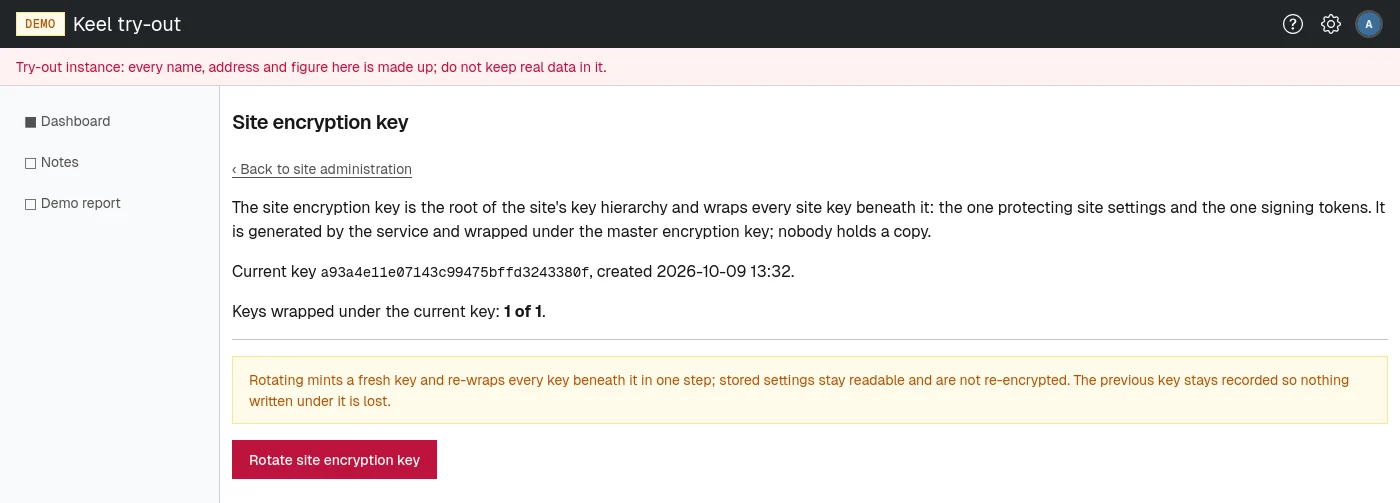
Open Encryption key on the site administration page, or go to /site/admin/encryption-key. The page Site encryption key shows:
- the current key's id and when it was created;
- Keys wrapped under the current key: how many of the keys beneath it are protected by the current key, out of how many in all.
Rotating the key
Rotate the key when your security policy asks for it, or when you suspect it may have been exposed.
- Choose Rotate site encryption key.
- Confirm the question Rotate the site encryption key and re-wrap all dependent keys?
A fresh key is created and every key beneath it is protected under the fresh key in the same step. Stored settings stay readable and are not re-encrypted. The previous key stays recorded, so nothing written under it is lost. Nobody is signed out. The rotation is recorded in the core audit log.
When a rotation did not finish
If a rotation was interrupted, the page says A rotation's re-wrap is unfinished; the previous key still protects some of them. and the count shows fewer keys than the total.
- Choose Rewrap remaining keys.
The remaining keys are protected under the current key, and the count shows all of them. Everything keeps working in the meantime, since the previous key is still recorded.