Where the administration pages are, which of them you can open, and the role a new organization starts with.
For anyone who holds at least one administrative permission in their organization (tenant). Each area needs its own permission, listed below.
Opening the administration
Keel Platform serves many organizations, each called a tenant, at its own address such as /tenants/hanseatic-shipping. Everything on these pages concerns your own tenant only.
- Sign in to your organization (see Signing in).
- Open the settings menu, the gear icon at the top right of every page. If you hold no administrative permission, the icon is not there.
- Choose Administration (followed by your organization's name), or go straight to one area listed under it.
The page Administration opens at /tenants/<your tenant>/admin. It shows one card for each area you may enter, each with a sentence on what it holds and, for some, one figure worth knowing before you go in.
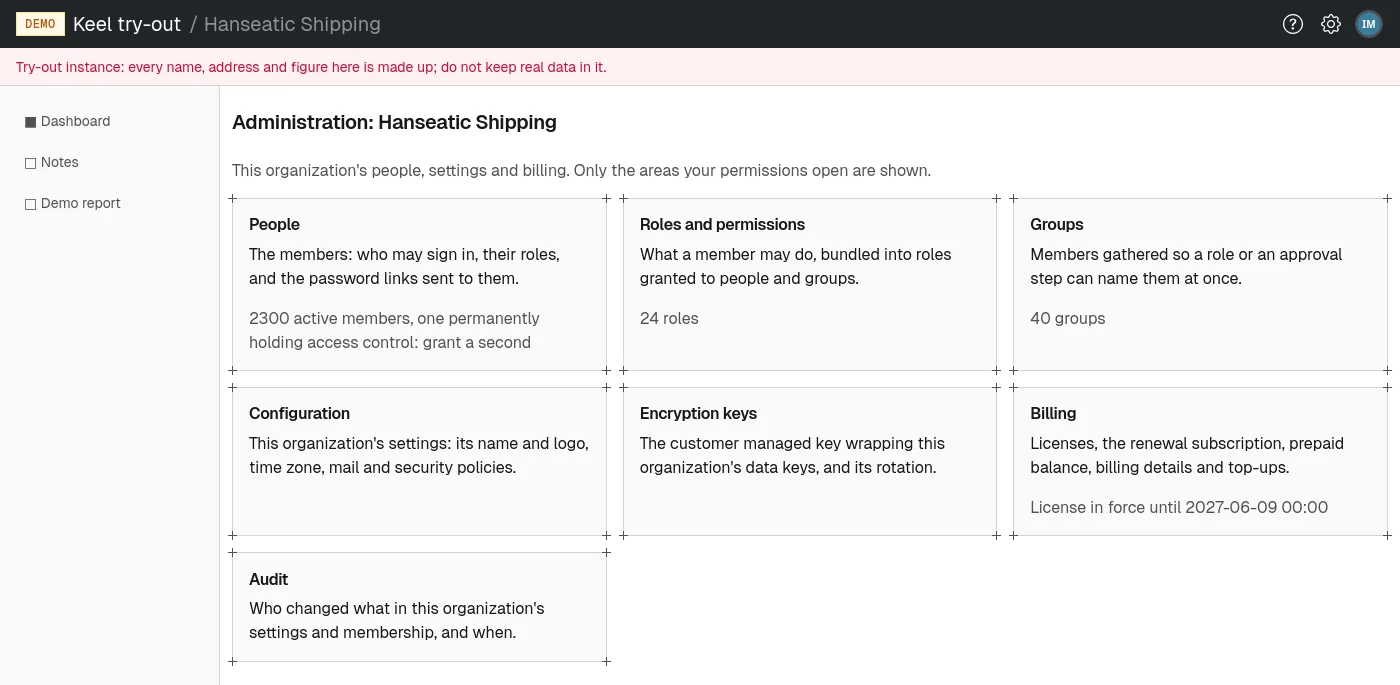
The areas and the permission each needs
A card appears only to someone who holds its permission, and the page behind it refuses everyone else. Permissions are bundled into roles; see Roles and permissions.
| Card | What you do there | Permission | Figure on the card |
|---|---|---|---|
| People | Add members, deactivate them, grant them roles. See People. | manage users | Active members, and how many permanently hold access control |
| Roles and permissions | Define roles and what they permit. See Roles and permissions. | manage roles | Number of roles |
| Groups | Gather members and grant roles to all of them at once. See Groups. | manage groups | Number of groups |
| Configuration | The organization's settings. See Settings. | manage configuration | None |
| Encryption keys | Rotate the customer managed key. See The encryption key. | manage encryption keys | None |
| Billing | Licenses, subscription, balance, invoices. See Billing and licenses. | manage tenant billing | Whether a license is in force, and until when |
| Audit | Who changed what, and when. See The audit log. | Any of the permissions above, or any permission the application adds | None |
The application your organization uses may add its own cards and menu entries, with its own permissions. A custom permission you define yourself (see Custom permissions) does not open the administration.
The role a new organization starts with
When your organization is created, the first person is granted the role Tenant Setup Administrator. It holds every built-in permission: manage users, roles, groups, configuration, tenant billing and encryption keys. Its description reads "Full administration of the tenant, granted to its creator at setup".
The role is an ordinary role. You can rename it, change what it permits, grant it to others, or carve narrower roles out of it, such as a billing manager who holds only manage tenant billing. Giving each person only the permissions their job needs keeps mistakes small and the audit log easy to read.
Keeping someone in charge
Two permissions together make up access control: manage users and manage roles. Whoever holds both can always repair everything else. Keel Platform counts the active members who hold both permanently, that is, through a role granted with no end date. The People card shows that count; when it is one, the card says "grant a second".
To protect your organization from locking itself out, Keel Platform refuses a change that would:
- leave nobody permanently holding access control. The message reads "This change would leave nobody permanently holding access control (manage users and manage roles)."
- drop the count from two or more to just one. The message reads "This change would leave a single user permanently holding access control."
- take access control away from you yourself. The message reads "You would lose the ability to manage users and roles yourself." Ask another administrator to make that change.
The guard applies to deactivating a member, revoking a role from a person or a group, removing a member from a group, archiving a role or a group, and changing a role's permissions.
If everyone who held access control is gone anyway, the operators of your Keel Platform site can grant the Tenant Setup Administrator role to an address you give them.