How long a sign-in lasts, how long a password link works, whether members may stay signed in on a browser, and how often signing keys are renewed.
For administrators who hold the permission manage configuration.
These settings are under the heading Security on the settings page. Each has a sensible value even if you never touch it, inherited from the site or from the built-in default; the defaults below apply unless your site's operators changed them. For how saving and clearing work, see Settings.
Session lifetime
How long someone stays signed in before they must sign in again. Default: 12 hours.
- Open Session lifetime on the settings page.
- Type a length into Sessions last, between 5 minutes and 24 hours, such as
8h. - Choose Save session lifetime.
The new lifetime applies from each member's next sign-in; sessions already running keep the length they started with. A shorter lifetime limits what a stolen session is worth; a longer one spares people from signing in again during the working day.
Emailed link timing
The link Keel Platform emails for setting a password can be used once. This setting decides how long an unused link keeps working and how soon a member may ask for another. Defaults: valid for 15 minutes, another after 3 minutes.
- Open Emailed link timing on the settings page.
- Set A link stays valid for, between 1 minute and 7 days.
- Set Another may be requested after, at least 30 seconds and no longer than the lifetime above.
- Choose Save link timing. Links sent from now on follow the new timing.
Each field shows beside it the value of the level beneath, so you can see what you are overriding. Members see the link's lifetime in the email (see Setting your password).
Stay signed in
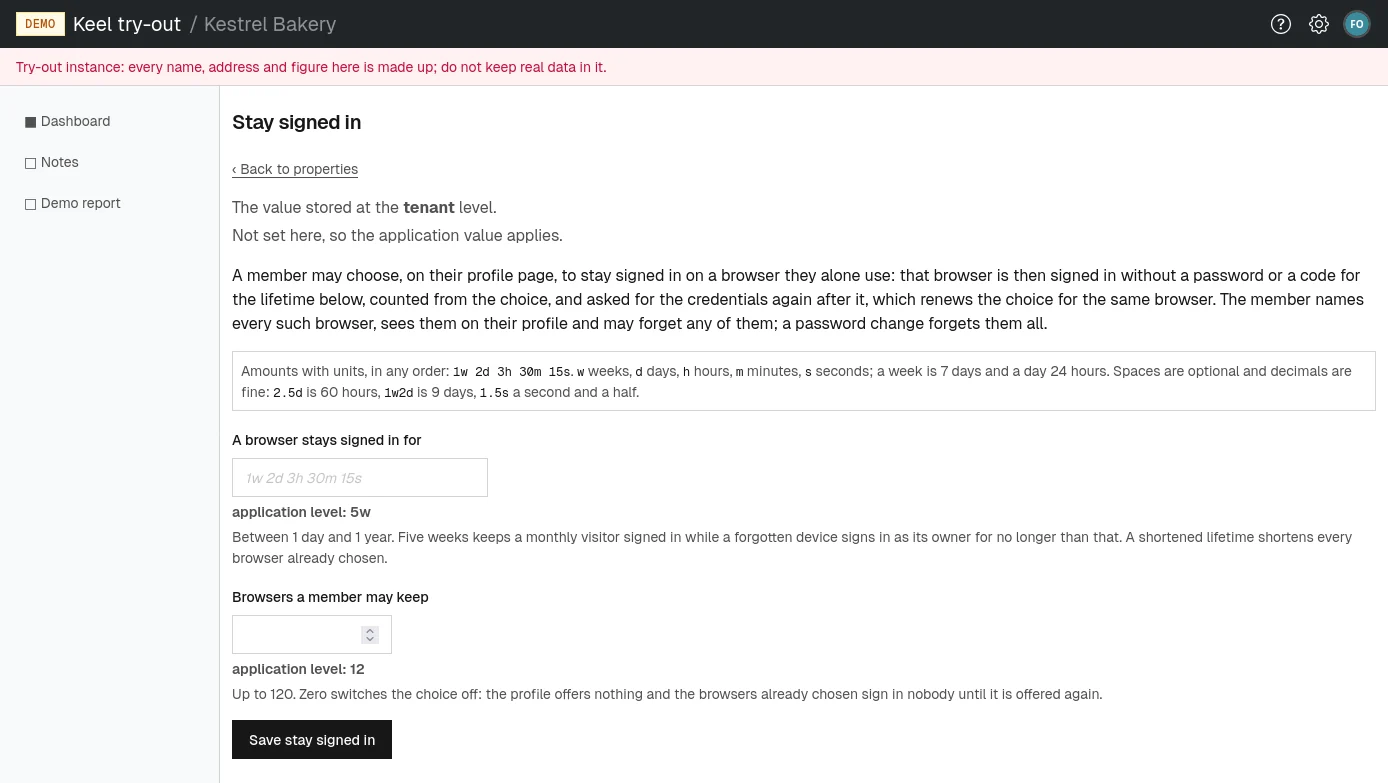
A member may choose, on their profile, to stay signed in on a browser they alone use. That browser then opens your organization's pages as them without a password or a code for a set time (see Staying signed in on a browser). Defaults: 35 days, up to 12 browsers per member.
- Open Stay signed in on the settings page.
- Set A browser stays signed in for, between 1 day and 1 year.
- Set Browsers a member may keep, from 0 to 120. Zero switches the choice off.
- Choose Save stay signed in.
What members notice:
- A shorter lifetime shortens every browser already chosen, not only new ones.
- With zero browsers allowed, the profile no longer offers the choice, and browsers already chosen sign in nobody until the choice is offered again.
- Changing their password forgets all of a member's browsers. You can also forget them for a member on their page in People.
Signing key rotation
Keel Platform signs your organization's sign-in sessions and emailed links with a secret key, and replaces that key with a fresh one when it reaches a certain age. Default: every 28 days.
- Open Signing key rotation on the settings page.
- Type an age into Mint a fresh key after, between 1 and 365 days.
- Choose Save rotation interval.
Members notice nothing: a new key signs only new sessions and links, and everything signed with an older key stays valid for its whole life. Most organizations never need to change this.